eSim Guide
Setup Instruction
Instruction in other languages:
Tiếng Việt
한국인
日本語
汉语
Bahasa
Русский
FAQs
When should I add to phone/activate my eSIM?
- You can add the eSIM to your phone at any time and while still in your home country
- But to be on the safe side, we suggest you only add it on the day of departure to avoid unintentional activation
- Data will only connect when you reach your travel destination and the data package will only start counting at that time
How do I start using the eSIM?
- Select the eSIM for data use and enable Data Roaming in your phone settings
- The eSIM will automatically connect to the local network
What should I do in case of connection issues?
- Restart your phone and use at a different location
- Check your data usage through "Check data usage" link above if you might have used up the data for the day
- Contact us via messenger services or email in any other cases
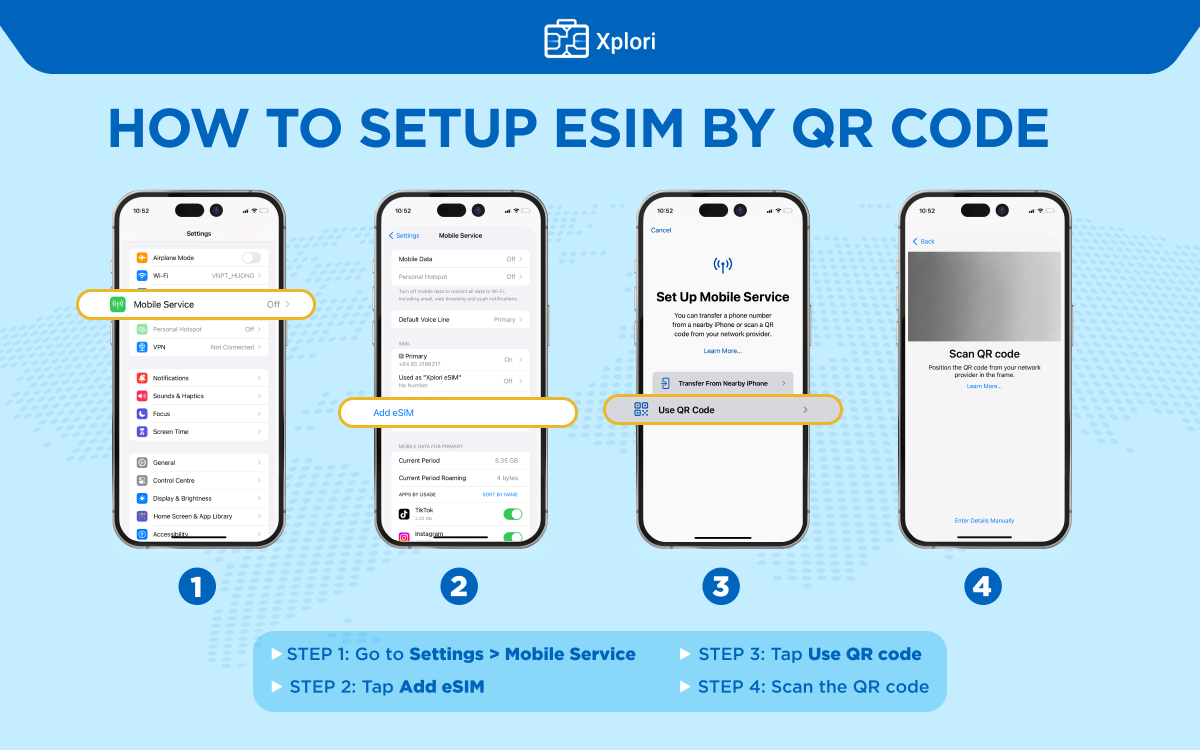
Install eSIM
iOS: (reference)
Go to Settings → Cellular → Add eSIM → Use QR Code → Scan QR code
Android: (reference)
Go to Settings → Connections → SIM Card Manager → Add Mobile Plan/Add eSim → Scan QR code
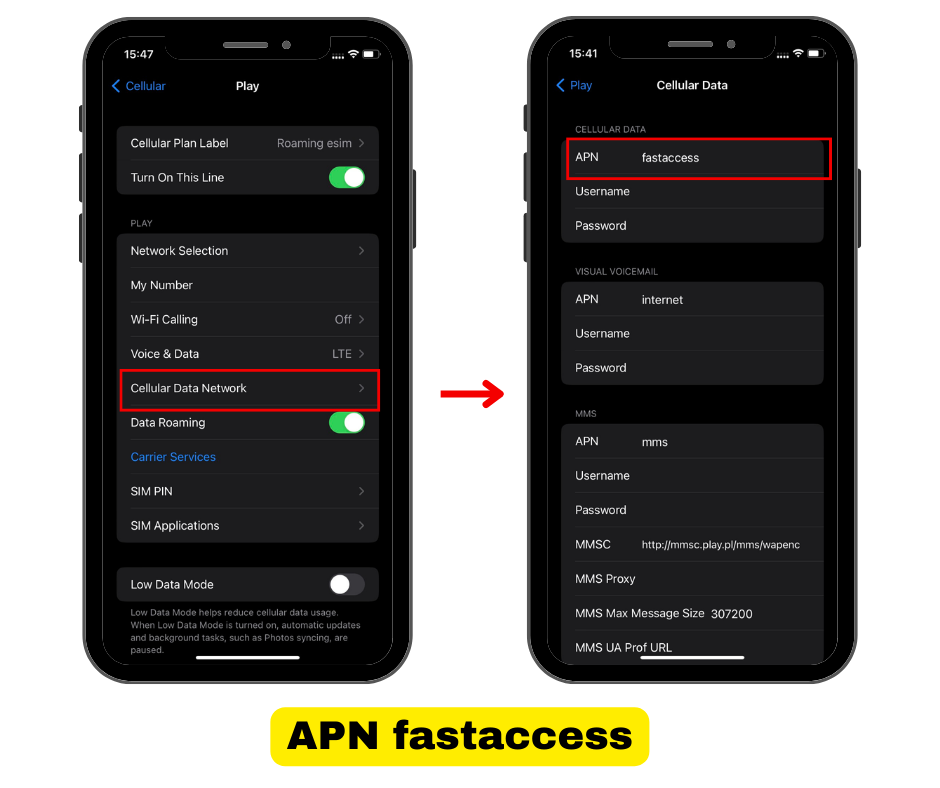
If the QR code fails, select "Enter Details Manually" and input required information:
Android: (reference)
Activation Code:
If you found a error message "This code is no longer valid", please check if eSIM has already been installed on your phone.
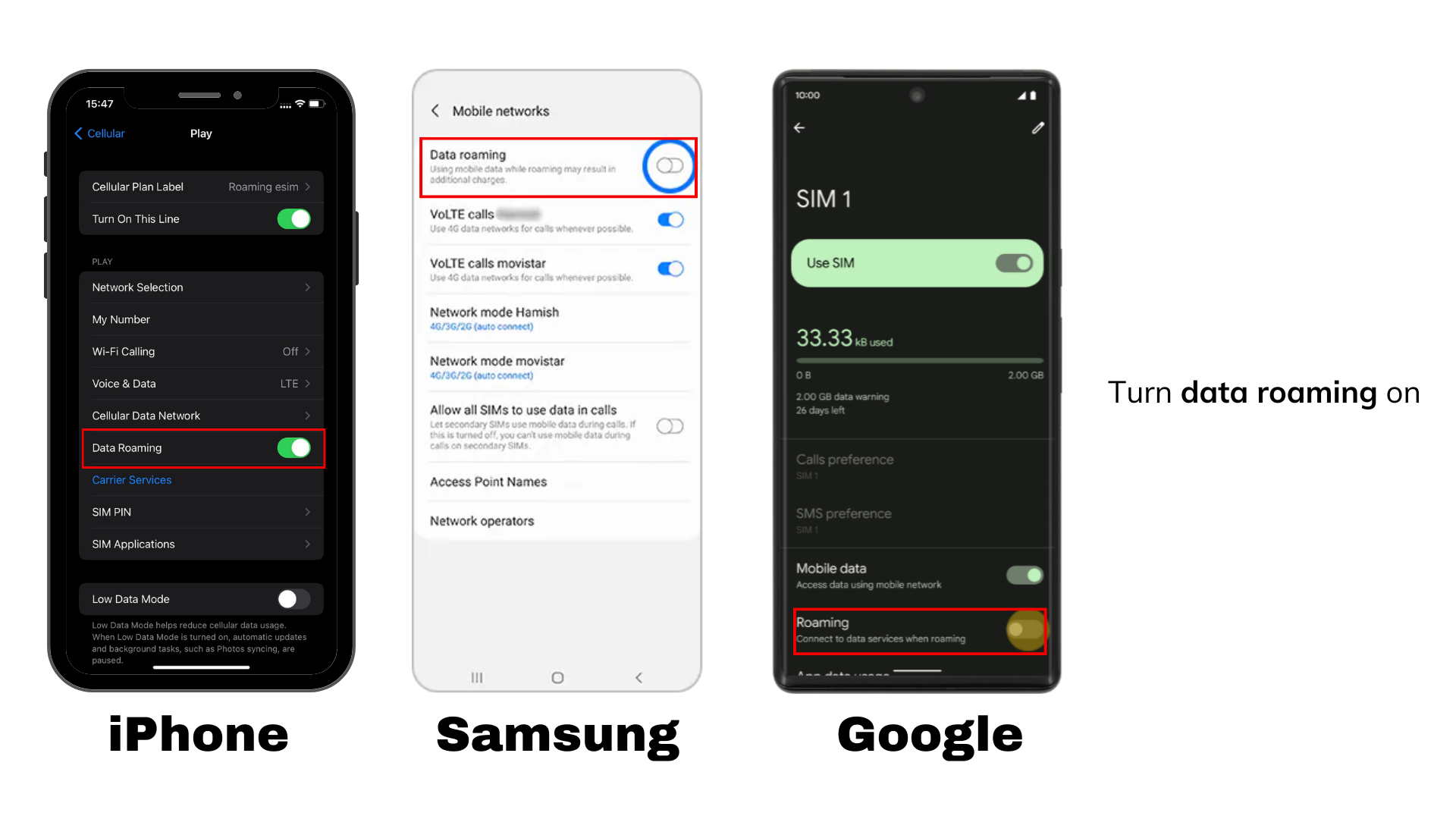
Data Roaming
Once the eSIM is installed, follow these steps at your destination:
- Set as Data Line: Select the newly added eSIM to be the default mobile data line.
- Enable Roaming: Ensure both Data and Data Roaming are turned on for the eSIM.
If you're unable to connect to the internet, please contact our technical support team immediately.
Notes
To use eSIM, your device must be carrier-unlocked and eSIM-compatible, you can dial *#06# on your mobile phone to check or see list of support devices here. Note that country and carrier-specific restrictions may apply.
Our demo video: Click here
iPhone users with iOS 17.4 and above, can use the new 1-click installation feature (more details)
Considerations
- Validity: The data package activates immediately once you scan the QR code and connect to any supported network. There's no need to pre-set or adjust an activation date, even if your plans change.
- Phone Number: Unless expressly mentioned, the eSIM does not include a local phone number. Voice calls are not supported. You can continue using messenger services for text and calls.
- High Usage: Please avoid long watching or Wi-Fi sharing. The system might temporarily disconnect the SIM in case of high usage in a short period of time
- Satisfaction: Your satisfaction is our priority and we offer a Satisfaction Guarantee. Please contact us in with any questions or difficulties. If we cannot help, we will process refund.